Screen time
they earn by learning
No more fights over screens. Your child answers grade-level questions and earns play minutes — and you see what they’re learning and stay in control from your own phone.
- Kindergarten to 8th grade
- No ads
- No tracking
- Fully in English
What’s in it for you
Tofy is an app for the whole family: your child answers grade-level questions and earns play minutes in the apps you choose to lock. So what do you get?
No more screen-time fights
Time isn’t handed out or taken away by force. Your child earns it on their own — and you’re no longer the household screen police.
They learn without you pushing
Questions for their grade in math, reading, English, and more. The level adjusts itself, and they come back because they want to.
Know what they’re strong at
A report for every child, by subject: where they shine, where they need help, and what’s worth practicing together at home.
You set the rules
How much time a day, which apps are locked, school time, and bedtime. And you can unlock time remotely with one tap.
Know they’re OK
See where the kids are right now, get an alert when they arrive home or at school, and ring a phone that went missing.
Safe for kids
No ads, no tracking, and no purchases on your child’s device. Every payment happens only on yours, behind a parent code.
Know exactly where your child is strong — and where less so
Every answer goes into a personal report that updates live on your phone. Not just how long they played — what they’re really learning, and where it’s worth helping.
A report for every child
Today, this week and this month: questions answered, success rate, minutes earned and days in a row.
Strengths and areas to work on
For each subject — math, reading, English and more — and within a subject, by skill.
A daily insight
One sentence that sums up the day, plus a small idea for what to ask or practice together.
Learning trend
A weekly and monthly chart: see whether success is going up day by day.
Where they are on the journey
Which world, which level — bronze, silver or gold — and which worlds they haven’t tried yet.
Real-time notifications
When your child starts, finishes or asks for help with a question — and you answer right from your phone.
Two steps, that’s it
A few minutes and your family is connected. It works the same on iPhone and Android.
On your phone
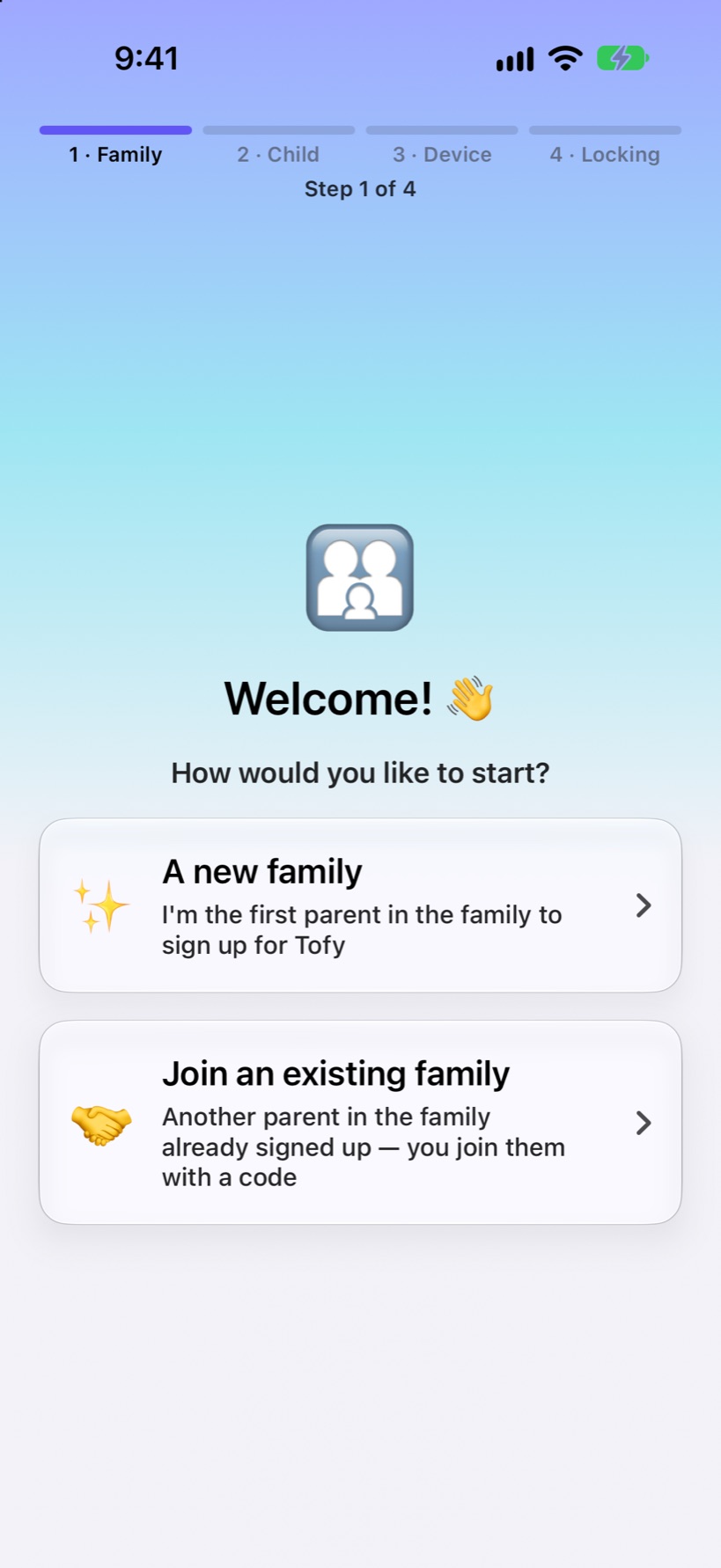
Download Tofy, choose “My device (parent),” and create your family: a family name, plus your child’s name and grade. Every new family gets Tofy+ free for 30 days.
On your child’s device
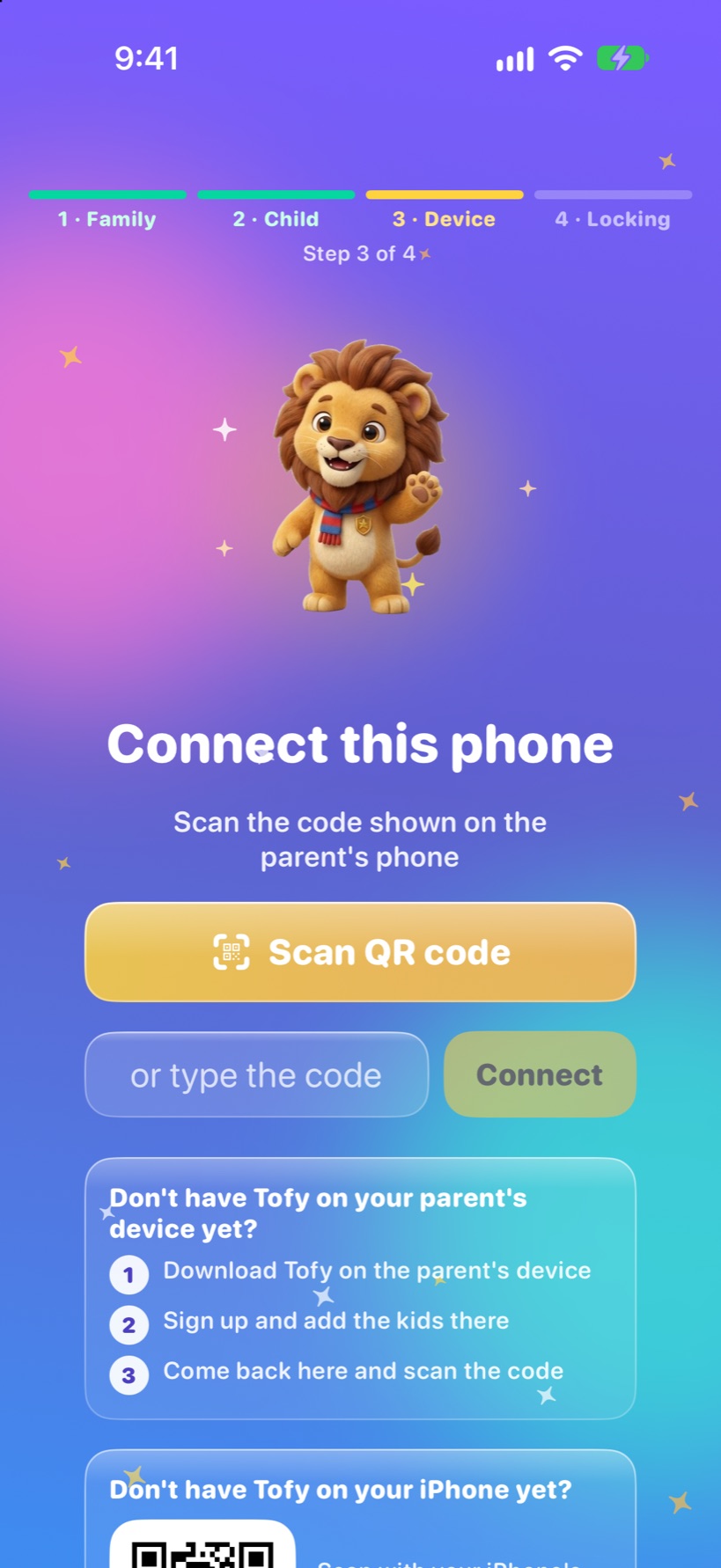
Download Tofy on your child’s phone or tablet, choose “My child’s device,” and scan the code shown on your phone. They’re connected, and everything syncs.
No device of their own? Your child can play on your phone, too.
Tofy in action
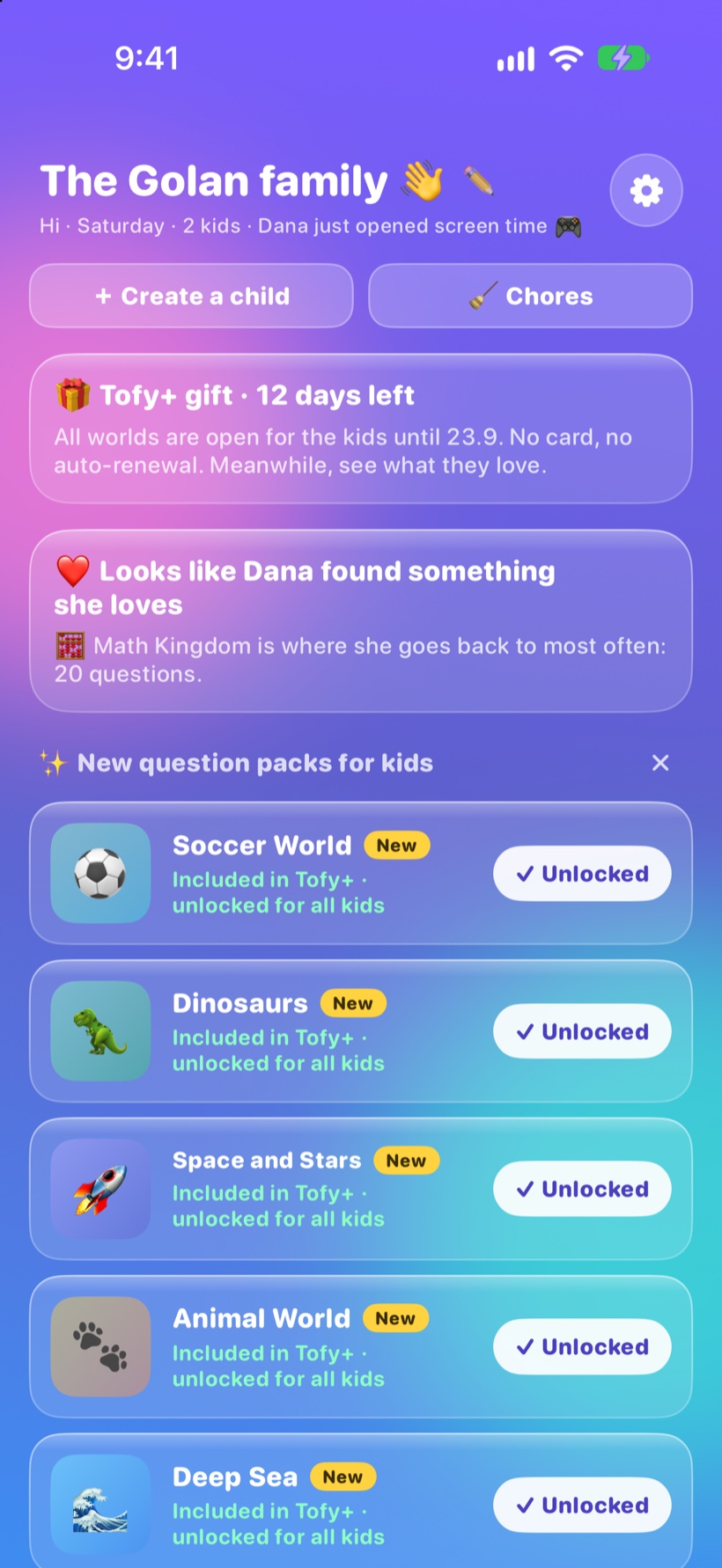
Tofy has two sides: what your child sees and plays, and what you see and control — from a separate device.
Your child's side
A colorful adventure: answer questions, collect stars and diamonds, help out around the house — and earn real play minutes.
Your side
Open the app and see all your kids on one screen: who's playing right now, how much time they have left, and whether they made progress today. From there, locked with a code — how much time is allowed, which apps are blocked, which worlds are open for each child, and one-tap chore approvals.
12 games — your child picks how to answer
Choosing a world opens “How do you want to play?” — regular questions or one of the games. The content is the same content, and the minutes are earned either way.
- Find the Pairs
- Balloon Pop
- Build the Word
- Crushers
- Word Search
- True or False
- Sort into Baskets
- The Pattern
- Tofy 2048
- The Vault
- The Grocery
- Balance Scales
Every game is matched to the grade — kindergarten through 8th. Each world shows only the games that fit its content, and in kindergarten everything is pictures and read-aloud.
A world for every child
Each world is a whole subject, with questions tagged by grade. You decide which worlds are open for each child.
- Tofy Time · always free
- Math
- Reading
- English
- Logic
- Science
- History
- Geography
- Money Skills
- Soccer
- Dinosaurs
- Space and Stars
- Animal World
- Deep Sea
- Gifted Prep
- Kitchen and Food Science
- Music
- The Human Body
- Vehicles and Transportation
- Flags and Countries
And we keep adding seasonal worlds around holidays and special events.
It adapts to your child
Not just another quiz app. Tofy knows what grade your child is in, what they're good at, and when it's time to level up.
Grade by grade
Every question is tagged to its grade, from kindergarten through 8th grade. Each September your child moves up a grade — and the questions move up with them.
A level that adjusts itself
The level is set separately for each topic, based on real results and centered on the level you chose. Too easy? It goes up. Too hard? It comes down.
Even for kids who can't read yet
Questions and answers are read aloud, and the answers are numbered — so even the youngest kids can play on their own.
A mistake isn't a failure
A wrong answer gets a hint and an explanation — never language about failing. Kids can also ask Mom or Dad for help, and you answer right from your phone.
House chores, too
Tidying their room or clearing the table can be worth play minutes. Your child marks a chore as done, and you approve it — sometimes with a photo.
Friends and a live quiz
Kids who connect with a friend code can compete on a leaderboard and in a real-time live quiz. No chat and no messages — and you can see and remove any friend.
Built for you, too
Apps are blocked through Apple's Screen Time on iPhone and through Tofy's own permissions on Android, and open only once your child has earned the time. You set a daily limit, unlock time manually from anywhere, and get a notification when your child starts, finishes, asks for help, or gets home.
- A daily limit for each child
- Unlock time remotely
- Difficulty for each topic
- Choose worlds for each child
- Smart notifications
- Where the kids are now
- School time & bedtime
- Multiple parents, multiple kids
- On Apple Watch, too
- Everything behind a parent code
What Tofy doesn't have matters just as much
Tofy is in the Kids category of the App Store and was built to its rules from day one.
No ads
No banners, no video ads, and no links that take your child out of the app.
No tracking
No third-party analytics, no advertising identifier, and no cross-app tracking. Data is used only to run the app.
No shopping for kids
Your child's device never shows prices and can't make purchases. Every payment happens on your device, behind a parent code.
Start for free
You can use Tofy without paying a cent. One subscription unlocks everything for every child in the family.
Free
- The Tofy Time world, always open
- Earning play minutes and blocking apps
- House chores with parent approval
- A full parent dashboard
Tofy+
- Every world unlocked
- For every child in the family, on every device
- Every new world we add is included
- Cancel anytime via your Apple ID or Google Play
Single world
- Unlock just the world your child loves
- Half price for a brother or sister
- Perfect if you'd rather not subscribe
Frequently asked questions
What ages is Tofy for?
Kindergarten through 8th grade, roughly ages 4 to 14. During setup you pick your child's grade, and questions are served right at that level. Younger kids who can't read yet can play too, with questions read aloud.
How is screen time actually blocked?
On iPhone, through Apple's Screen Time (Family Controls); on Android, through the accessibility and usage-access permissions Tofy gets on your child's device. You choose which apps are locked, and they open only once your child has earned minutes. You can always unlock time manually from your phone.
Do we need two devices?
We recommend it: one device for your child and one for you. But it isn't required — your child can play on your phone, too. You can also connect several devices to the same child, and several parents to the same family, and everything stays in sync.
Can my child buy something on their own?
No. Your child's device never shows prices. If they want a new world, they tap "Ask Mom or Dad" — and you decide.
What about my child's location?
Location sharing is off until you turn it on, separately for each child. Only the most recent location is kept — no history of where they've been — and only the parents in your family can see it.
Are there ads or tracking?
No. No ads, no advertising identifier, and no third-party analytics. Data is used only to save progress and sync between your family's devices. Read our Privacy Policy.
What about siblings?
One Tofy+ subscription unlocks every world for every child in the family. A single world is bought for one child, and it's half price for a brother or sister.
How much does it cost?
You can start for free. Tofy+ is a monthly or yearly family subscription; the price is shown in the app in your local currency, and you can cancel anytime via your Apple ID or Google Play. Every new family gets Tofy+ free for 30 days from sign-up — no credit card and no automatic renewal.
Tofy is coming to Google Play
Have an Android phone or tablet? Join the tester group and be among the first to get Tofy — before it reaches the store.
- Open the tester group and tap “Join group” — with the same Gmail account that’s signed in to Google Play on your phone.
- Download Tofy from Google Play using the tester link, and create your family on your phone.
- On your child's device: download Tofy, choose “My child’s device,” and scan the code from your phone.
- Keep Tofy installed for at least 14 days — that’s how Google approves it for everyone.
The tester link opens only for group members. Only we can see who joined.
Want to be first to hear about new worlds?
Leave your email and we'll write when a new world or a big update comes out. Few emails, no spam.
You're on the list! We'll write when there's something new.
Instead of fighting over screens —
kids earn them
You set the rules, and Tofy makes sure they happen.
Download on theApp Store Coming soon toGoogle Play